Overview of Optical Media Drives
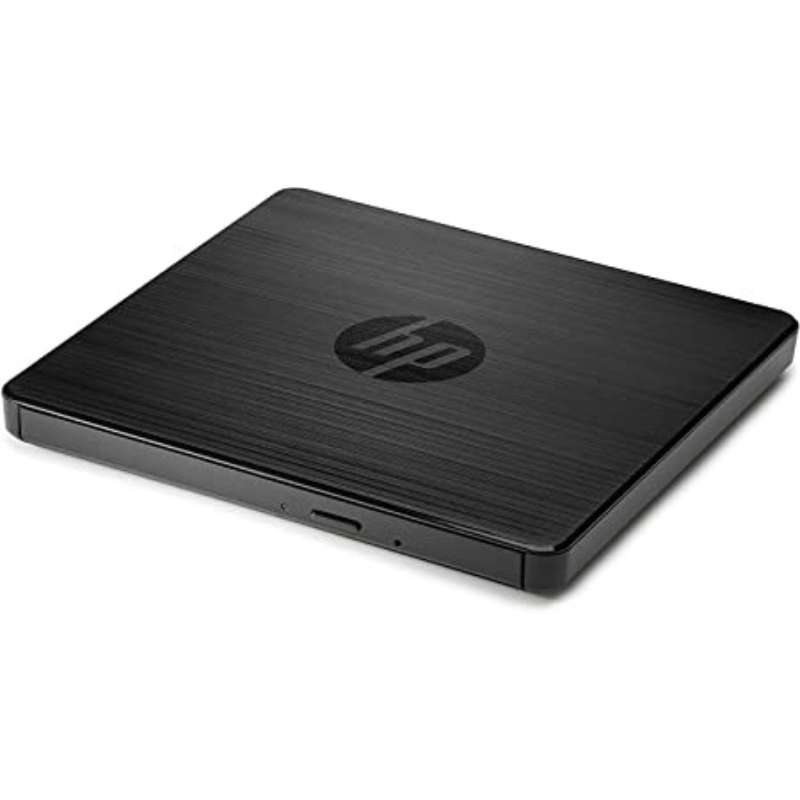
Optical media drives are devices that read and write data to optical discs, such as CDs, DVDs, and Blu-ray discs. These drives use laser technology to read and write data, making them essential for various applications, including media playback, software installation, and data archiving. Despite the rise of digital downloads and cloud storage, optical drives remain valuable for certain uses.
Key Features
Media Compatibility
Optical drives support various disc formats, including:
- CDs (Compact Discs): Used for audio, software, and small data storage.
- DVDs (Digital Versatile Discs): Suitable for video content and larger data storage.
- Blu-ray Discs: Designed for high-definition video and large data files.
Reading and Writing Capabilities
- Read-Only: Some drives only read data from discs (e.g., CD/DVD players).
- Write/Rewrite: Many drives can write data to blank discs (e.g., DVD±R, DVD±RW) and rewrite data multiple times on rewritable discs.
Data Transfer Rates
Optical drives vary in speed, typically measured in multiples of the base speed (e.g., 1x for CDs). Faster drives can read and write data more quickly, which is essential for efficient data management.
External and Internal Options
Internal Drives: Installed directly into desktop computers or laptops, providing a permanent solution.
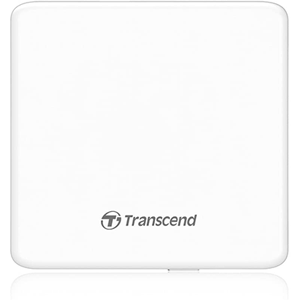
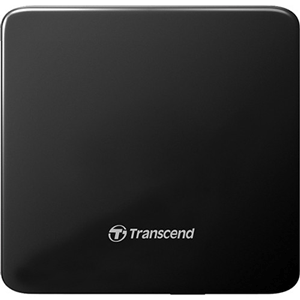
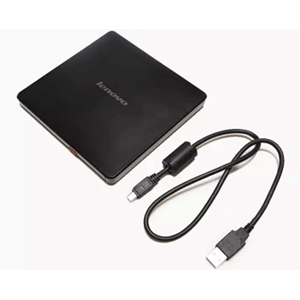
External Drives: Connect via USB or other interfaces, offering portability and flexibility for laptops and devices without built-in drives.
Multimedia Support
Many optical drives come with software for playback, authoring, and data management, enhancing their utility for multimedia tasks.
Types of Optical Media Drives
CD/DVD Drives
Overview: Commonly found in computers, these drives read and write CDs and DVDs.
Use Case: Ideal for audio playback, software installations, and standard data storage.
Blu-ray Drives
Overview: Capable of reading and writing Blu-ray discs in addition to CDs and DVDs.
Use Case: Suitable for high-definition video playback and large data storage needs.
Combo Drives
Overview: Drives that can read and write CDs, DVDs, and sometimes Blu-ray discs.
Use Case: Versatile solutions for users needing compatibility with multiple formats.
Popular Brands
LG
Known for reliable and high-performance optical drives, LG offers a range of internal and external models.
ASUS
ASUS produces various optical drives with features suited for gamers and multimedia enthusiasts.
Pioneer
Pioneer specializes in high-quality Blu-ray drives, ideal for both consumers and professionals.
Samsung
Samsung offers a range of external optical drives known for their sleek designs and reliable performance.
Tips for Choosing an Optical Media Drive
When selecting an optical media drive, consider:
- Compatibility: Ensure the drive supports the formats you intend to use (CDs, DVDs, Blu-rays).
- Speed: Look for drives with higher read/write speeds for faster performance.
- Internal vs. External: Decide based on your space and portability needs; external drives are great for laptops, while internal drives save space in desktops.
- Software Bundle: Check if the drive comes with useful software for burning, playback, or media management.
Maintenance and Care
To maintain your optical media drive:
- Keep It Clean: Regularly clean the drive’s lens with a soft, dry cloth to prevent dust buildup.
- Avoid Unstable Surfaces: Use the drive on stable surfaces to prevent vibrations and disruptions during operation.
- Store Properly: When not in use, store external drives in protective cases to avoid physical damage.
Conclusion
Optical media drives continue to serve important roles in data storage, multimedia playback, and software installation despite the shift towards digital media. Understanding the different types, features, and considerations for selecting the right optical drive will help you choose the best solution for your needs. Whether for archiving data, enjoying music and movies, or running software, an optical media drive remains a valuable tool in the digital landscape.
Optical Media Drives